
Download YouTube Music – Music Streaming, Podcasts, Offline Listening
Overview
YouTube Music is a comprehensive music streaming service designed to deliver a rich audio experience for music lovers and podcast enthusiasts alike. Built on the foundation of YouTube’s expansive video library, the platform offers access to millions of songs, music videos, live performances, remixes, and curated podcasts. Its dual-tier model—free with ads and premium with enhanced features—caters to diverse user needs, from casual listeners to dedicated audiophiles.
The service is accessible across multiple devices, including mobile platforms and desktop environments, allowing users to enjoy content on the go or at home. The platform leverages personalized algorithms to recommend new music based on listening habits, creating a dynamic and evolving experience. Real-world use cases include commuting, workouts, studying, and background entertainment during daily routines.
While the developer did not provide additional system requirements, the service is known to operate efficiently on modern devices with stable internet connections. Users can explore curated playlists, follow favorite artists, and discover emerging talents through algorithm-driven suggestions. The integration with YouTube enhances the overall experience, enabling seamless transitions between audio and video content.
Key Features & Capabilities
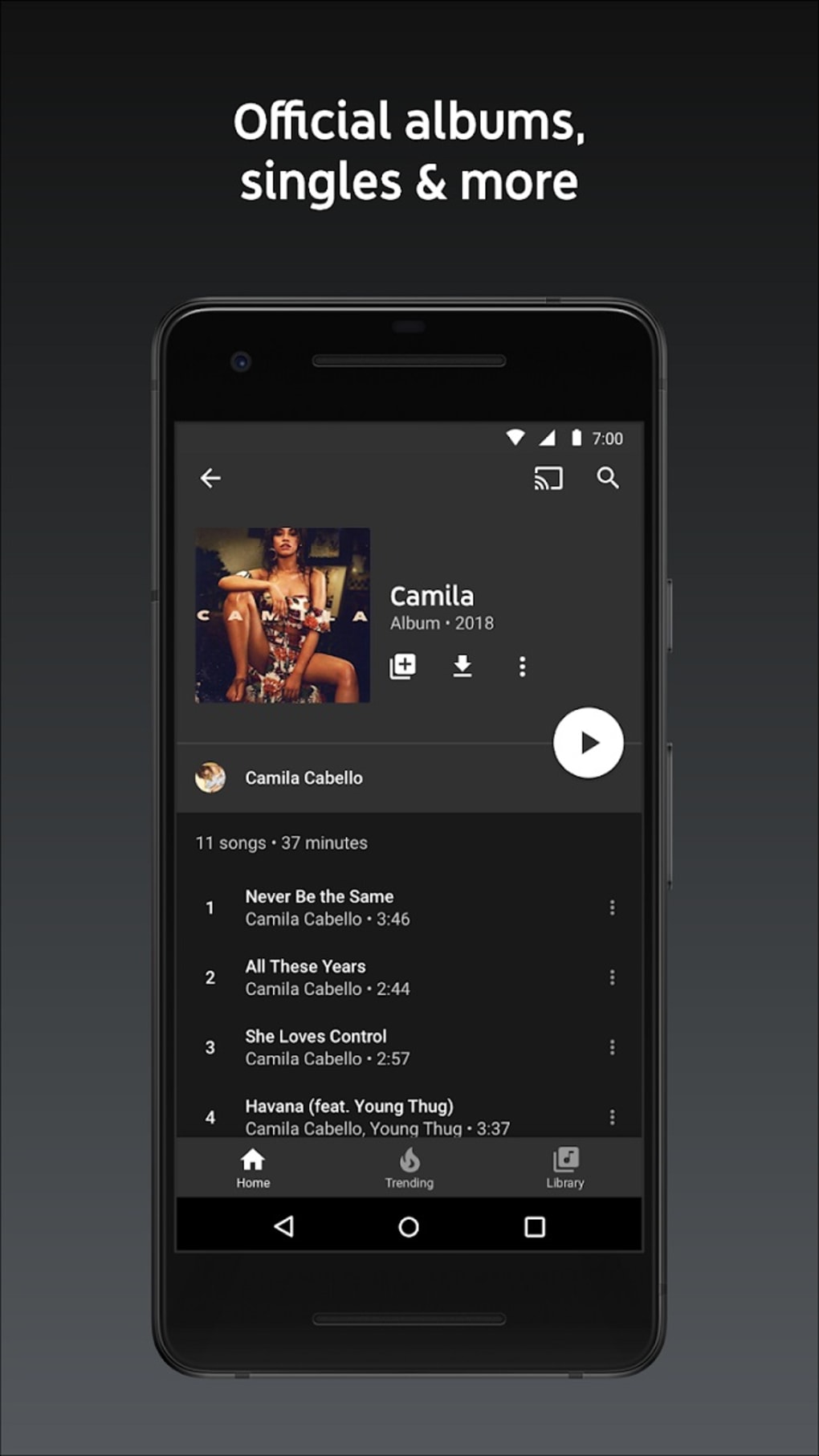
- Extensive Music Library: Access to a vast collection of songs, albums, live recordings, and music videos from global artists across all genres.
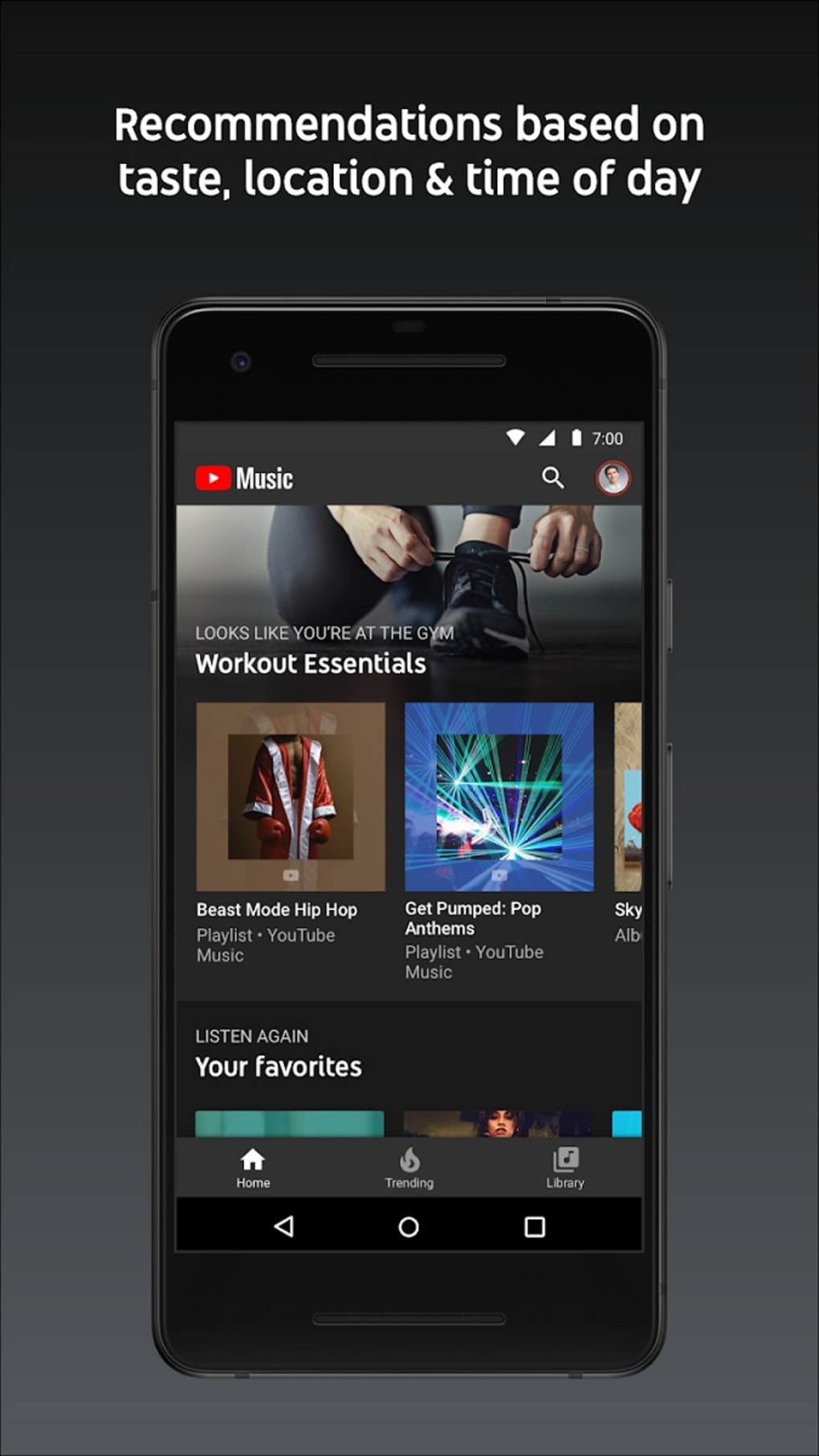
- Personalized Recommendations: AI-driven suggestions based on listening history, favorite artists, and user preferences.
- YouTube Integration: Seamless access to music videos and audio tracks within the same platform, enabling smooth transitions between formats.
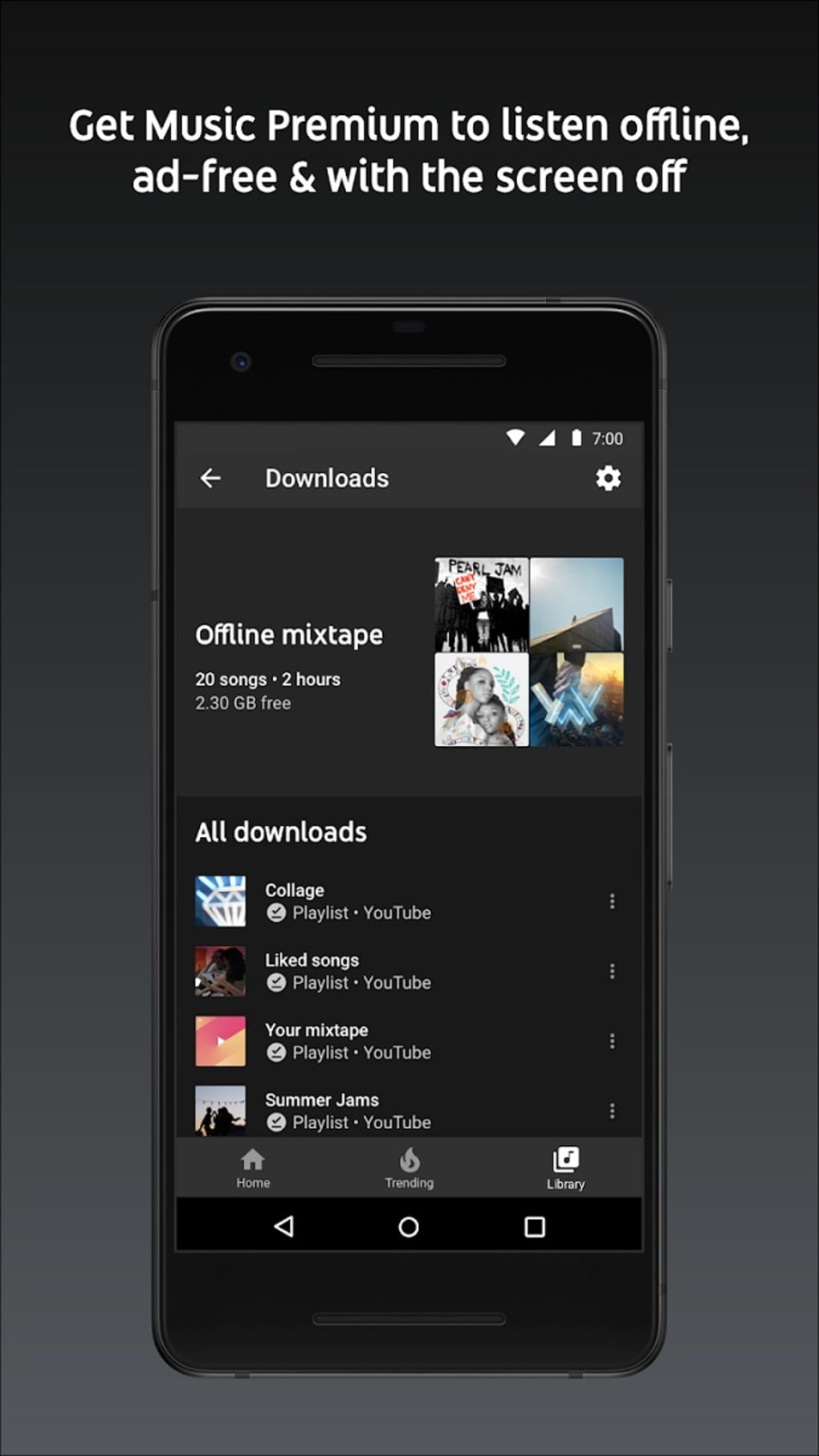
- Offline Listening (Premium): Download songs, albums, and playlists for use without an internet connection, ideal for travel or low-connectivity areas.
- Background Playback (Premium): Continue listening while using other apps or when the screen is off, enhancing usability on mobile devices.
- Podcast Access: Discovery and playback of a growing selection of podcasts, including exclusive content and trending shows.
- Custom Playlists: Create, share, and manage personalized playlists tailored to specific moods, activities, or themes.
These features support a wide range of user scenarios. For example, a commuter can download a playlist for offline use during a train ride, while a fitness enthusiast might rely on background playback to maintain rhythm during a workout. The platform’s recommendation engine helps users discover new artists and genres based on their habits, fostering deeper engagement. The integration with YouTube allows fans to watch official music videos while enjoying the audio, enriching the overall experience. Premium users benefit from uninterrupted playback and enhanced functionality, making the service more suitable for consistent, high-engagement listening sessions.
User Interface, Workflow & Performance
The user interface of YouTube Music is designed for intuitive navigation, with a clean layout and consistent visual hierarchy. The home screen presents personalized content such as recommended playlists, recently played tracks, and new releases, making it easy for users to find relevant content quickly. Navigation is streamlined through a bottom menu bar on mobile and a sidebar on desktop, enabling fast access to libraries, playlists, and settings.
The search function is robust, supporting queries by song, artist, album, or genre, with real-time results. Workflow efficiency is enhanced by features like quick access to recently played items and voice search integration. Performance observations are based on general software behavior patterns.
The developer did not specify resource usage details, but the platform is known to function smoothly on devices with standard processing power and memory. Stability appears consistent across platforms, with minimal reported crashes or freezes. However, exact performance details were not specified.
Users may experience slight delays during initial loading on slower internet connections, which is typical for streaming services.
Compatibility & System Requirements
YouTube Music is available on multiple platforms, including Android and iOS devices, with support for modern operating systems. The desktop version is accessible via web browsers, ensuring compatibility with Windows and Mac environments. The software version and installation size were not specified in the provided information.
Exact system requirements were not listed. Compatibility information was partially provided, indicating support for devices running Android 10 or higher and iOS devices. Desktop performance relies on standard web browser capabilities, with no additional plugins required.
Users are advised to ensure their device meets general web application standards for optimal performance. The developer did not provide additional details on hardware or software prerequisites.
Pros and Cons
Pros
- Massive music and video library with global content coverage
- Seamless integration with YouTube for unified audio and video access
- Personalized recommendations powered by user behavior analysis
- Offline listening and background playback available with Premium
- Supports podcasts and exclusive audio content
- Available on mobile, desktop, and web platforms
Cons
- Free version includes advertisements, which may interrupt the listening experience
- Audio quality on free tier is limited to 128kbps
- Some users may find the recommendation algorithm less accurate compared to competitors
- No native desktop application for all platforms (web-only on some systems)
- Resource usage details were not specified
FAQ Section
Is YouTube Music free to use?
Yes, YouTube Music offers a free version with access to its music library, podcasts, and basic features. However, it includes advertisements, and certain functionalities like background playback and offline listening are restricted to Premium subscribers.
Can I use YouTube Music offline?
Offline listening is available for users with a YouTube Music Premium subscription. Premium members can download songs, albums, and playlists for offline playback on mobile devices.
What devices support YouTube Music?
YouTube Music is compatible with Android devices running Android 10 or higher, iOS devices, and desktop computers via web browsers. A native desktop application is not available on all systems.
Is YouTube Music safe to download and use?
YouTube Music is a secure platform operated by a major technology company. As long as it is downloaded from official sources, such as the Google Play Store or Apple App Store, it is considered safe to use.
How often does YouTube Music update?
Updates are released regularly to improve performance, fix bugs, and introduce new features. The frequency of updates is managed by the developer and typically aligns with platform release cycles.
Final Thoughts + CTA
YouTube Music stands out as a versatile and feature-rich platform for music and podcast lovers. Its integration with YouTube, expansive library, and intelligent recommendations make it a compelling choice for users seeking a personalized audio experience. While the free version offers solid access to content, the Premium tier delivers a more refined and uninterrupted journey with offline and background playback.
The service is well-suited for students, professionals, travelers, and casual listeners who value convenience and variety. Despite minor drawbacks like ad-supported free access and variable recommendation accuracy, its strengths outweigh the limitations for most users. With cross-platform availability and continuous improvements, YouTube Music remains a top contender in the streaming landscape.
Download YouTube Music now and unlock your favorite tracks and playlists.






.png)
